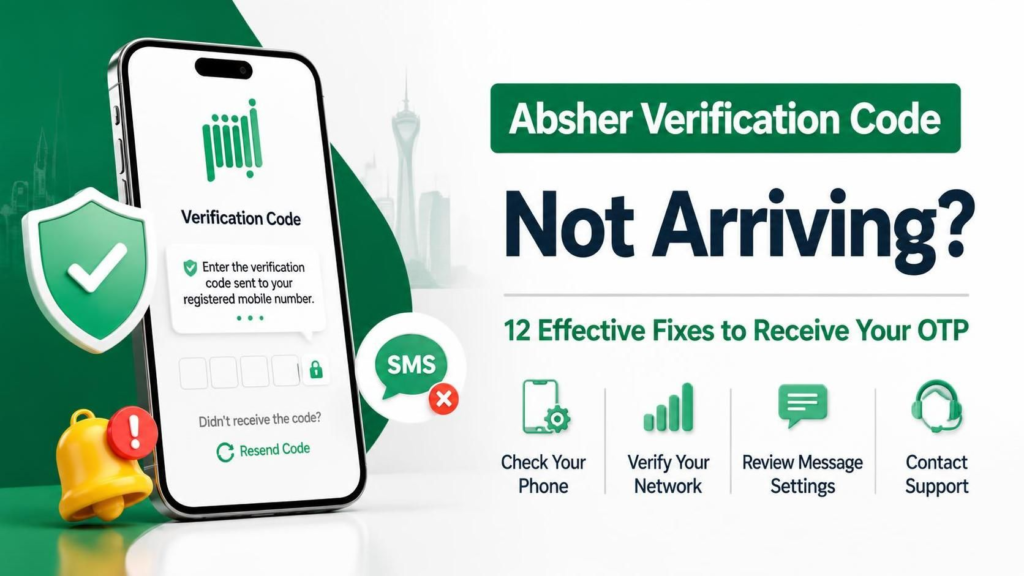
📌 A Complete Troubleshooting Guide for Saudi Residents Facing OTP Issues on Absher
📑 Table of Contents
- 🔍 Understanding the Absher OTP System
- 📱 Why Your Absher Verification Code Might Not Be Arriving
- ⚡ Quick Fixes to Try First
- 🛠️ The 12 Effective Fixes
- 📊 Comparison Table: Fix Speed vs. Effectiveness
- 🌍 Carrier-Specific Issues in KSA
- 🔐 Security Tips to Protect Your Absher Account
- ❓ Frequently Asked Questions (FAQ)
- ✅ Final Checklist
🔍 Understanding the Absher OTP System
Absher (أبشر) is the official digital platform of the Saudi Arabian government, developed by the Ministry of Interior. It provides over 270 services to citizens and residents, ranging from visa renewals and traffic violations to passport updates and dependent management. Given the sensitivity of these services, Two-Factor Authentication (2FA) via a One-Time Password (OTP) is mandatory for every login and critical transaction.
The OTP is typically a 4-digit or 6-digit numeric code sent via SMS to the mobile number registered in the National Address system or directly linked to your Absher account. Without this code, accessing your account is impossible — which makes it incredibly frustrating when the verification code simply doesn’t arrive. 😤
How the Absher OTP Delivery Works
| Stage | Process | Time |
|---|---|---|
| 1. Request | User clicks “Send Verification Code” | Instant |
| 2. Generation | Absher server generates a unique OTP | < 1 second |
| 3. Routing | OTP sent to Saudi telecom providers (STC, Mobily, Zain) | 1-5 seconds |
| 4. Delivery | SMS arrives at user’s mobile device | 5-30 seconds |
| 5. Expiry | OTP becomes invalid if not used | 3-5 minutes |
⏱️ Normal Delivery Time: Under normal circumstances, the OTP should arrive within 10 to 30 seconds. If it takes longer than 2 minutes, something is wrong.
📱 Why Your Absher Verification Code Might Not Be Arriving
Before jumping into solutions, it’s important to understand the root causes. The problem can originate from Absher’s servers, your telecom carrier, your mobile device, or your account settings.
🔴 Common Causes of Absher OTP Failure
| Cause | Frequency | Source |
|---|---|---|
| Network congestion / Poor signal | Very Common | Device / Carrier |
| Incorrect registered mobile number | Common | Absher Account |
| SMS blocking / Spam filters | Common | Device Settings |
| Absher server maintenance | Moderate | Absher Platform |
| SIM card issues / Roaming disabled | Moderate | Carrier / SIM |
| Phone storage full | Less Common | Device |
| International roaming without activation | Less Common | Carrier |
According to the Saudi Digital Government Authority (DGA), digital authentication systems like Absher process millions of OTP requests daily. During peak hours (especially after government salary deposits or during visa renewal seasons), delays can occur due to high server load.
⚡ Quick Fixes to Try First
Before diving into the detailed fixes, try these immediate actions:
- 📶 Check your signal bars — Ensure you have at least 2-3 bars of mobile signal.
- ✈️ Toggle Airplane Mode — Turn it ON for 10 seconds, then OFF. This forces your device to reconnect to the carrier network.
- 🔄 Restart your phone — A simple reboot resolves many temporary network glitches.
- ⏳ Wait 2 minutes — Sometimes carriers experience micro-delays. Don’t spam the “Resend” button immediately.
💡 Pro Tip: Clicking “Resend Code” multiple times within a short period can actually blacklist your request temporarily as a fraud prevention measure. Wait at least 60 seconds between requests.
🛠️ The 12 Effective Fixes to Receive Your Absher OTP
Here are the 12 most effective, tested solutions arranged from easiest to most advanced. Follow them in order for best results.
✅ Fix 1: Verify Your Registered Mobile Number in Absher
The most common reason for not receiving an OTP is having an outdated or incorrect mobile number registered in the Absher system.
How to Check (via a trusted device or in person):
- Visit the Absher Portal
- Log in using an alternative method if available
- Navigate to: User Information → Mobile Number
- Verify that the number matches your current active SIM
⚠️ Important: If you’ve recently changed your mobile number or switched telecom providers (ported your number), you must update it in Absher through an Absher self-service kiosk or a Jawazat office.
✅ Fix 2: Switch Between Mobile Data and Wi-Fi
Sometimes, your phone’s SMS center routing depends on your data connection.
| Connection Type | Action |
|---|---|
| Currently on Wi-Fi | Switch to Mobile Data (4G/5G) |
| Currently on Mobile Data | Connect to a stable Wi-Fi network |
While SMS doesn’t technically require internet, some modern devices use IMS (IP Multimedia Subsystem) for SMS delivery, which can be affected by your data connection.
✅ Fix 3: Clear the Absher App Cache (Mobile App Users)
If you’re using the Absher mobile app on Android or iOS, corrupted cache files can prevent proper communication with the server.
For Android:
Settings → Apps → Absher → Storage → Clear CacheFor iOS:
Settings → General → iPhone Storage → Absher → Offload App → Reinstall📲 Download the official app only from: Google Play Store or Apple App Store
✅ Fix 4: Disable SMS Spam Filters and Block Lists
Modern smartphones aggressively filter “suspicious” SMS messages — and sometimes legitimate OTPs get caught.
📱 iPhone Users:
Settings → Messages → Unknown & Spam → Turn OFF "Filter Unknown Senders"📱 Android Users (Samsung/Google):
Messages App → Settings → Spam Protection → Turn OFFAlso check:
- Blocked numbers list — Ensure no government shortcodes are blocked
- Third-party SMS apps (Truecaller, SMS Organizer) — Whitelist unknown senders
✅ Fix 5: Check for Carrier-Specific SMS Issues
Saudi telecom providers (STC, Mobily, Zain) occasionally experience SMS gateway delays.
How to check:
- Ask a friend to send you an SMS — does it arrive?
- Try sending an SMS to yourself
- Check your carrier’s Twitter support accounts:
🕐 Peak Delay Times: Sundays (beginning of work week), government salary days (27th-1st of Hijri month), and during major visa policy changes.
✅ Fix 6: Remove and Reinsert Your SIM Card
A loose or aging SIM card can fail to receive SMS reliably.
Steps:
- Power off your phone completely ⏻️
- Eject the SIM tray using the ejector tool
- Clean the SIM gently with a dry cloth
- Reinsert firmly and power on
- Wait for the network signal to stabilize (30-60 seconds)
If your SIM is older than 5 years, consider requesting a replacement SIM from your carrier while keeping the same number.
✅ Fix 7: Enable International Roaming (For Travelers)
If you’re outside Saudi Arabia, Absher OTPs may not arrive unless international roaming is activated.
| Carrier | Activation Method |
|---|---|
| STC | Call 900 or use MySTC app |
| Mobily | Call 1100 or use Mobily app |
| Zain | Call 959 or use Zain KSA app |
🌍 Alternative for Travelers: If roaming is too expensive, ask a trusted family member in KSA to log into your Absher account and complete the transaction on your behalf (using their device).
✅ Fix 8: Use the Absher Website Instead of the App (or Vice Versa)
Sometimes the issue is platform-specific.
| Platform | Alternative |
|---|---|
| Absher Mobile App failing | Use a desktop browser: https://absher.sa |
| Website failing | Download and use the official mobile app |
| Chrome browser | Try Safari, Edge, or Firefox |
Also clear your browser cache:
Ctrl + Shift + Delete (Windows)
Cmd + Shift + Delete (Mac)
✅ Fix 9: Check Absher System Status and Maintenance Windows
Absher undergoes scheduled maintenance, usually during low-traffic hours (2:00 AM – 5:00 AM KSA time).
How to check:
- Visit the Absher Twitter account for announcements
- Check Saudi tech forums like SaudiExcel or Mubasher
- Try accessing during non-peak hours (early morning or late evening)
🔧 Maintenance Frequency: Typically once every 2-3 weeks for 30-60 minutes.
✅ Fix 10: Update Your Phone’s OS and Absher App
Outdated software can cause compatibility issues with modern security protocols.
| Update | Path |
|---|---|
| iOS | Settings → General → Software Update |
| Android | Settings → System → System Update |
| Absher App | Play Store / App Store → My Apps → Update |
Ensure your device is running:
- iOS 14+ or Android 8.0+ for optimal compatibility
✅ Fix 11: Check Your National Address Registration
Absher pulls your mobile number from the National Address system managed by Saudi Post (SPL). If your National Address has an old number, Absher will send the OTP there.
How to update:
- Visit SPL Online
- Log in with your Iqama or National ID
- Update your mobile number and verify via OTP
- Wait 24 hours for the change to sync with Absher
✅ Fix 12: Visit a Jawazat Office or Absher Kiosk (Last Resort)
If none of the above fixes work, your account may have a backend restriction or your mobile number may be locked in the system.
What to bring:
- Original Iqama (for residents) or National ID (for citizens)
- Your active mobile phone
- Any relevant documents related to your query
Locations:
- Jawazat offices in all major cities
- Absher self-service kiosks at malls and government centers
👤 Pro Tip: Go early in the morning (8:00 AM opening) to avoid long queues. Most OTP-related issues are resolved at the counter within 5-10 minutes.
📊 Comparison Table: Fix Speed vs. Effectiveness
| Fix # | Solution | Speed | Effectiveness | Difficulty |
|---|---|---|---|---|
| 1 | Verify registered number | ⚡ Fast | ⭐⭐⭐⭐⭐ | Easy |
| 2 | Switch data/Wi-Fi | ⚡ Fast | ⭐⭐⭐ | Easy |
| 3 | Clear app cache | ⚡ Fast | ⭐⭐⭐⭐ | Easy |
| 4 | Disable spam filters | ⚡ Fast | ⭐⭐⭐⭐⭐ | Easy |
| 5 | Check carrier issues | 🕐 Medium | ⭐⭐⭐⭐ | Easy |
| 6 | Reinsert SIM card | 🕐 Medium | ⭐⭐⭐⭐ | Medium |
| 7 | Enable roaming | 🕐 Medium | ⭐⭐⭐⭐⭐ | Medium |
| 8 | Switch platform | ⚡ Fast | ⭐⭐⭐ | Easy |
| 9 | Check maintenance | 🕐 Medium | ⭐⭐⭐ | Easy |
| 10 | Update OS/App | 🕐 Slow | ⭐⭐⭐⭐ | Easy |
| 11 | Update National Address | 🐌 Slow | ⭐⭐⭐⭐⭐ | Hard |
| 12 | Visit Jawazat | 🐌 Slow | ⭐⭐⭐⭐⭐ | Hard |
🌍 Carrier-Specific Issues in KSA
Each Saudi telecom provider has unique quirks when it comes to SMS delivery:
📡 STC (Saudi Telecom Company)
- Strength: Best coverage, most reliable OTP delivery
- Common Issue: Delayed SMS during Hajj season due to network overload
- Fix: Use the MySTC app to refresh your network connection
📡 Mobily
- Strength: Competitive pricing
- Common Issue: SMS blocking when switching between prepaid and postpaid
- Fix: Call 1100 and request an “SMS service refresh”
📡 Zain KSA
- Strength: Good urban coverage
- Common Issue: International SMS filtering
- Fix: Dial 959 and ask to whitelist government shortcodes
📡 Virgin Mobile / Lebara / Red Bull Mobile (MVNOs)
- Strength: Low cost
- Common Issue: OTP delays because they piggyback on STC/Mobily/Zain networks
- Fix: Contact your MVNO’s customer service — they have limited direct control over SMS gateways
🔐 Security Tips to Protect Your Absher Account
While troubleshooting your OTP issue, keep these security best practices in mind:
| ✅ Do This | ❌ Never Do This |
|---|---|
| Keep your registered number active | Share your OTP with anyone — even “Absher support” |
| Enable app notifications alongside SMS | Click links in SMS claiming to be from Absher |
| Use a strong, unique password | Use public Wi-Fi to access Absher without VPN |
| Log out after each session | Save your password on shared devices |
| Regularly review login history | Ignore suspicious activity alerts |
🛡️ Scam Alert: Absher will never call you asking for your OTP. If someone calls claiming to be from Absher and asks for your code, it is a scam. Hang up immediately and report it to the National Cybersecurity Authority.
❓ Frequently Asked Questions (FAQ)
❓ Q1: How long is the Absher OTP valid?
A: The OTP is typically valid for 3 to 5 minutes. If it expires, you must request a new one.
❓ Q2: Can I receive Absher OTP on a non-Saudi number?
A: Generally, no. Absher requires a Saudi-registered mobile number linked to your National Address. Some expats have reported success with certain GCC numbers, but it is not officially supported.
❓ Q3: Why do I receive OTPs late at night but not during the day?
A: This suggests network congestion during peak hours. Your carrier’s SMS gateway may be overwhelmed when thousands of users request OTPs simultaneously.
❓ Q4: Can I use email instead of SMS for Absher verification?
A: Currently, SMS is the primary method for 2FA on Absher. Email may be used for some notifications, but not for login verification codes.
❓ Q5: What if my phone is lost or stolen?
A: Immediately visit a Jawazat office to deactivate your Absher account or update your mobile number. You can also call the Absher helpline, but in-person verification is faster for critical security changes.
❓ Q6: Is there a limit to how many OTPs I can request?
A: Yes. Absher implements rate limiting for fraud prevention. If you request too many OTPs in a short time, your number may be temporarily blocked for 15-30 minutes.
✅ Final Checklist
Use this checklist before escalating your issue:
- ⏳ Waited at least 2 minutes before requesting a resend
- 📶 Confirmed strong mobile signal (2+ bars)
- ✈️ Toggled Airplane Mode to refresh network connection
- 📱 Restarted mobile device
- 🔢 Verified the registered mobile number in Absher is correct
- 🚫 Disabled SMS spam filters and checked blocked numbers
- 🧹 Cleared Absher app cache (or reinstalled the app)
- 🔄 Switched between mobile data and Wi-Fi
- 🌐 Tried logging in via website instead of app
- 📡 Confirmed no carrier-wide SMS outage
- 🌍 Enabled international roaming (if outside KSA)
- 📲 Reinserted SIM card and checked for damage
- 🆕 Updated phone OS and Absher app to latest versions
- 🏠 Verified National Address has the correct mobile number
- 🕐 Attempted login during non-peak hours
🎯 Conclusion
Not receiving your Absher verification code can be stressful, especially when you need to complete urgent government transactions. However, in 95% of cases, the issue can be resolved using the fixes outlined in this guide — from simple steps like toggling Airplane Mode and disabling spam filters, to more involved solutions like updating your National Address or visiting a Jawazat office.
🏆 Key Takeaway: Always ensure your registered mobile number is current, your device isn’t filtering SMS messages, and your carrier service is active. When in doubt, start with the simplest fixes and work your way down the list systematically.
If you’ve exhausted all 12 fixes and still cannot receive OTPs, the issue is likely on Absher’s backend or your carrier’s SMS gateway. In such cases, visiting a Jawazat office with your original ID remains the most reliable path to resolution.
📅 Last Updated: September 2026
🔗 External Resources: